Kencor Health

CMS Final Rule 2026: What’s Changing for Remote Patient Monitoring (RPM) and Why It Matters

SAMi-BUDDY is a wearable watch that automatically checks your blood pressure, heart rate, oxygen, and other vital signs throughout the day. Your readings are sent securely to your care team so they can watch for changes and reach out if you need support, all without extra trips to the clinic.

This guide walks you through charging your watch, staying connected, taking an accurate blood pressure reading, and caring for your device.

How Does SAMi-BUDDY Track Your Vital Readings

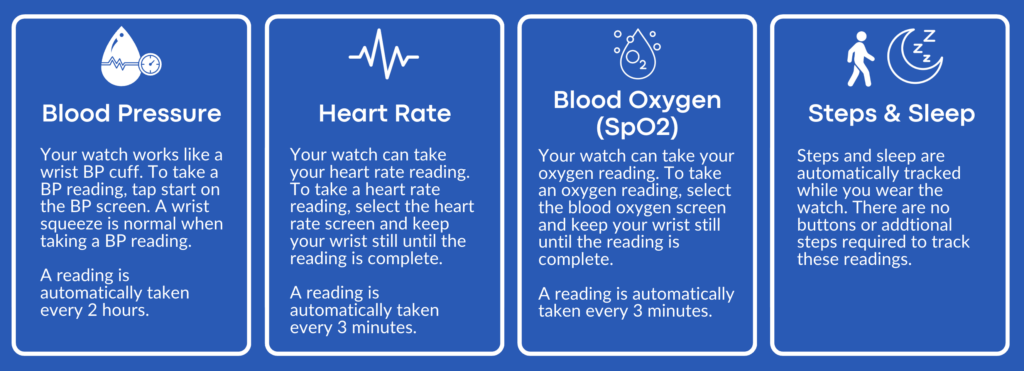
Your vital watch has the ability to track your blood pressure, heart rate, blood oxygen, and your steps ands sleep.

How to Connect Your SAMi-BUDDY Watch to the Kencor Health App

First you’ll need to download the Kencor Health App.

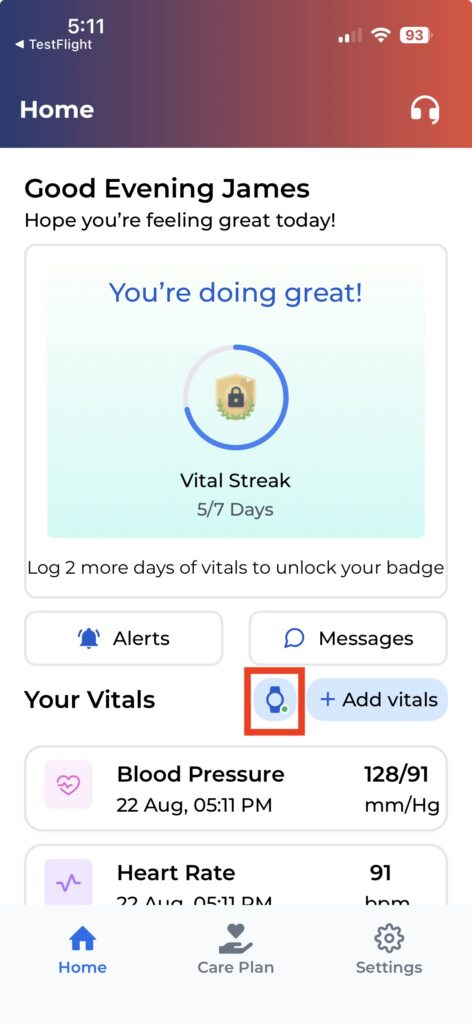
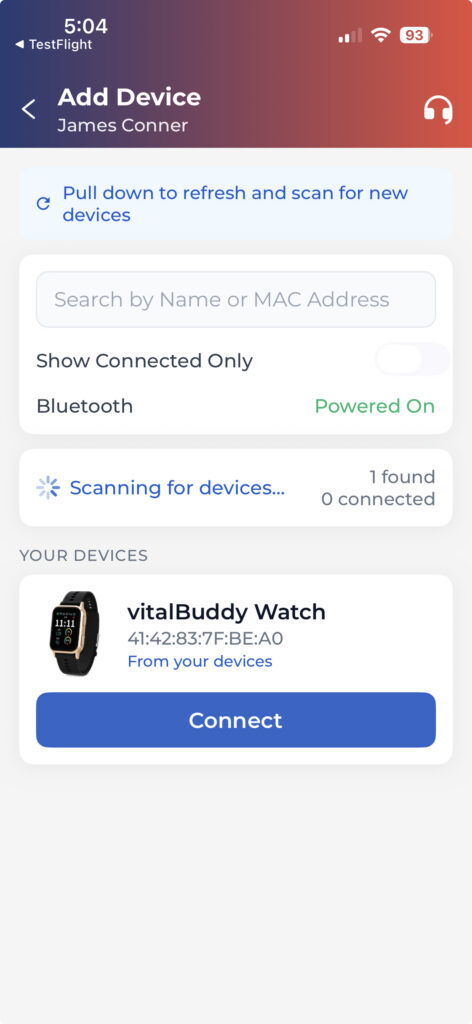
Once you download the app, please login using your phone number and preset password. When you open the app you will see a watch icon, please click on that watch icon. Your SAMi-BUDDY watch will show up on the screen, please click the “Connect” button to link your watch to your Kencor Health app.

Wearing Your SAMi-BUDDY Watch Properly

When you receive your watch, you will need to adjust it to your wrist size. Proper fit and placement are essential for accurate readings. Please use the following video to see how to properly adjust the watch size to your wrist.

How to Take a Blood Pressure Reading with SAMi-BUDDY

Your vital watch can also take blood pressure readings but to ensure the most accurate reading, sit quietly for 5 minutes with your back supported, feet flat on the floor, arm relaxed at heart level, and don’t talk during the reading. If you are taking multiple readings, wait at least 2 minutes before taking another reading. When taking your blood pressure reading, do not keep your hand above or below heart level.

Please use the following video to see how to properly take your blood pressure reading .

How to Care for Your SAMi BUDDY Vital Watch  Cleaning & Maintenance Guide

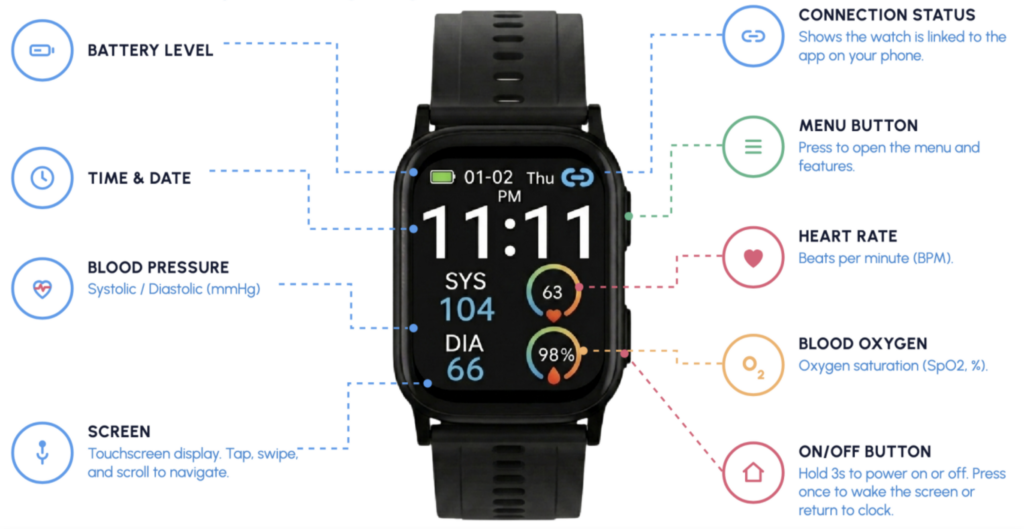
To charge your watch, attach the magnetic charging cable to the two charging contacts on the back of the watch. A green battery icon with a lightning symbol on the screen will pop up if your watch is charging correctly. The watches battery life is 5-7 days and the charging time takes 3-4 hours.

Please use the following video to see how to properly clean and maintain your watch.

Questions? We’re Here to Help

Your care team is just a call or message away. If you have any questions about your SAMi-BUDDY watch or your readings, reach out anytime.